 Meeting Memo Overlay
Pin notes on any website during reviews and meetings.
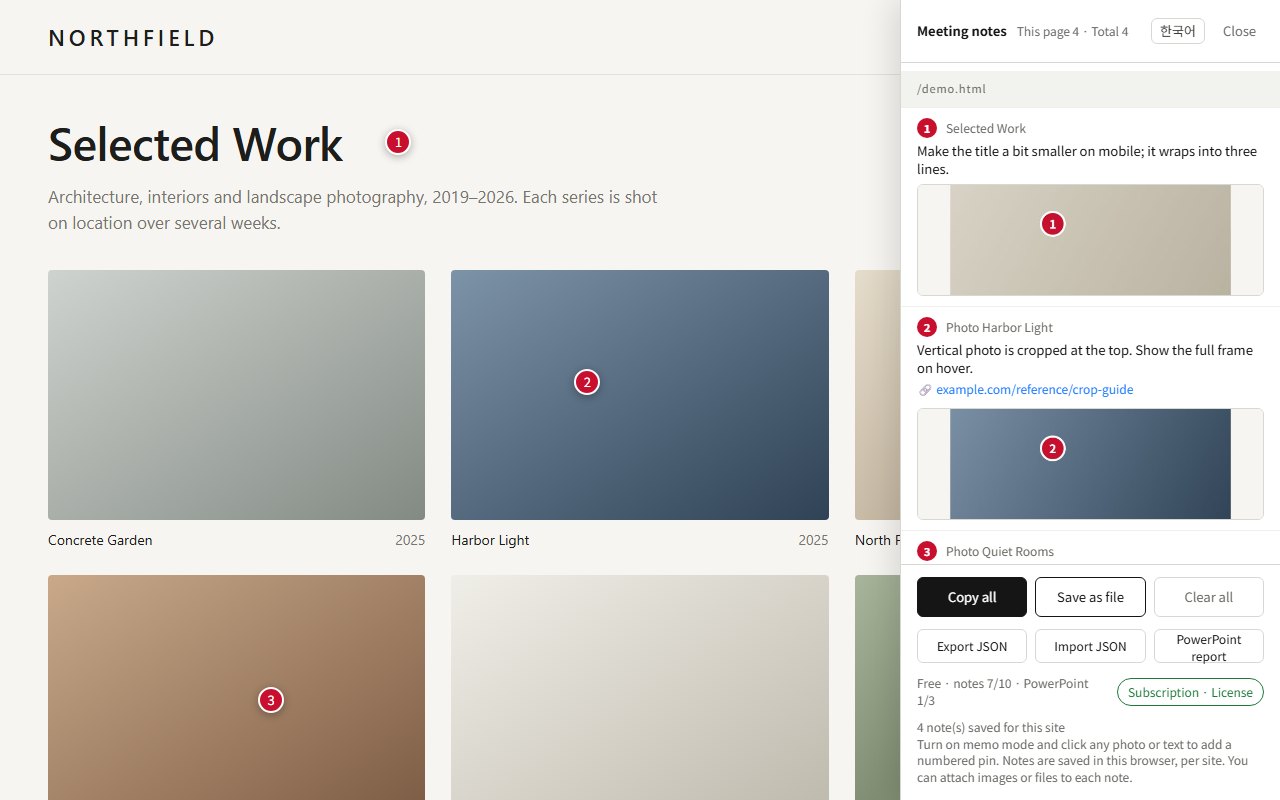
Meeting Memo Overlay is a Chrome extension. Turn it on in a tab, click any element on the page, and leave a numbered pin with a note, a reference link, attachments and an automatic screenshot. Share it as a PowerPoint report when the meeting ends.
How it works
No copies of the site, no setup. It runs only in the tab where you turn it on.
Turn it on
Click the toolbar icon on the page you are reviewing. Nothing is injected into other tabs or sites.
Click and write
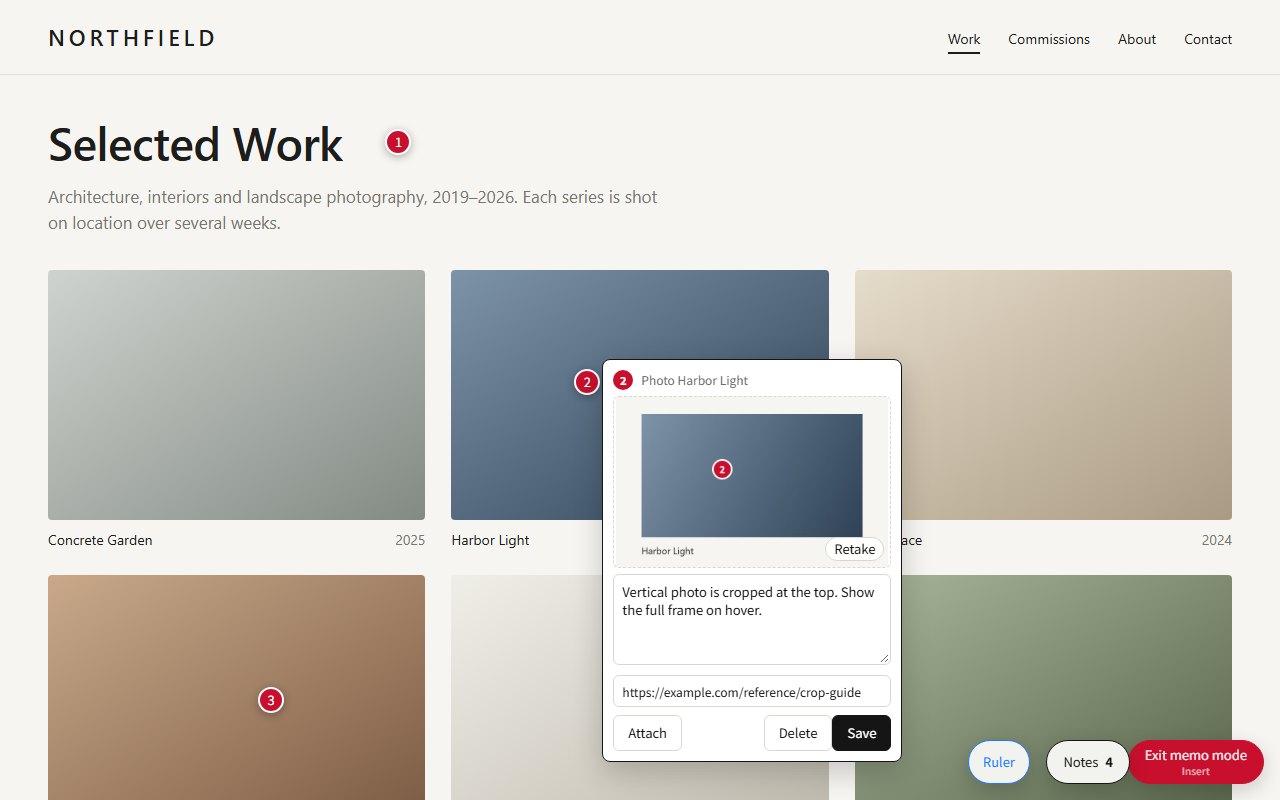
Switch to memo mode (or press Insert) and click any photo, heading or button. A numbered pin appears with a note box. Links on the page are not followed while you pin.
Share the result
Copy all notes as text, save them as a file, share a JSON file that replays the pins on the same page, or export a PowerPoint report.
Features
Built for designers, PMs and clients who review websites together.
Numbered pins that stay put
Pins are anchored to the element, not to screen coordinates, so they follow layout changes and window resizes.
Automatic screenshots
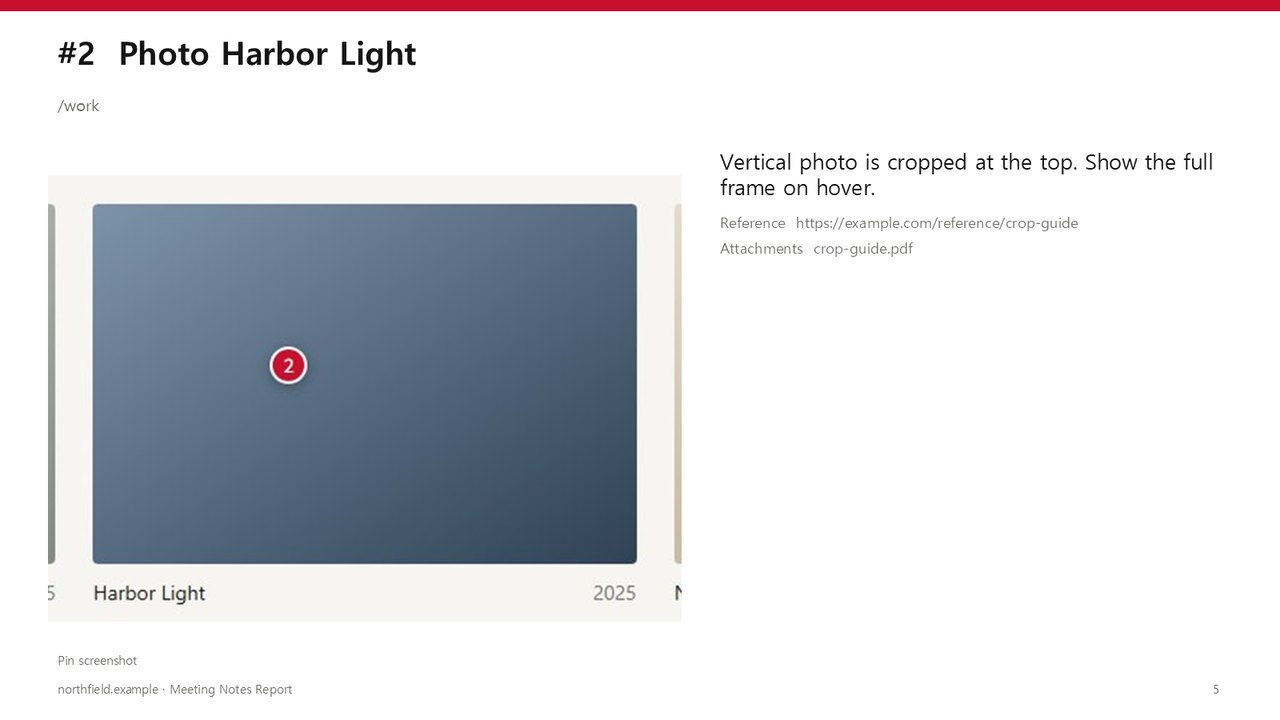
Each pin saves a cropped screenshot of the spot with the pin number drawn on it. Retake it anytime.
Links and attachments
Add a reference URL, example images or files (PDF and more) to each note.
PowerPoint report
One click turns your notes into an editable .pptx: cover, summary, and one slide per note with its screenshot.
Autosave and quick delete
Notes save as drafts while you type. Clicking an empty pin again removes it instantly.
Pixel ruler
Hover to see an element's size, or drag to measure distances in pixels.
Screenshots
Pricing
Start free. Subscribe only if you need more.
Free
- Up to 10 saved notes
- 3 PowerPoint report exports
- Screenshots, attachments, links, JSON sharing, pixel ruler
Pro
- Unlimited notes across all websites
- Unlimited PowerPoint report exports
- License key by email, works on up to 3 Chrome browsers
- Cancel anytime
Payments are processed by Lemon Squeezy, our merchant of record. Prices include applicable sales tax.
FAQ
Where are my notes stored?
Only in your own browser (Chrome extension storage). We don't run servers that receive your notes, attachments or screenshots. See the privacy policy.
How do I activate Pro?
After you subscribe, Lemon Squeezy emails you a license key. In the extension, open the memo panel, choose "Subscription · License" and paste the key.
How do I cancel or get a refund?
Cancel anytime from the link in your receipt email; Pro stays active until the end of the paid period. If Pro doesn't work for you, contact us within 14 days of a payment for a full refund of that payment.
Which browsers are supported?
Google Chrome on desktop and other Chromium browsers that support Chrome extensions. The interface is available in English and Korean; switch anytime from the memo panel.
Does it work on every website?
It works on regular web pages. Chrome doesn't allow extensions on its own pages (such as chrome:// settings or the Chrome Web Store), and content inside iframes can't be pinned.